

Here's the short version:
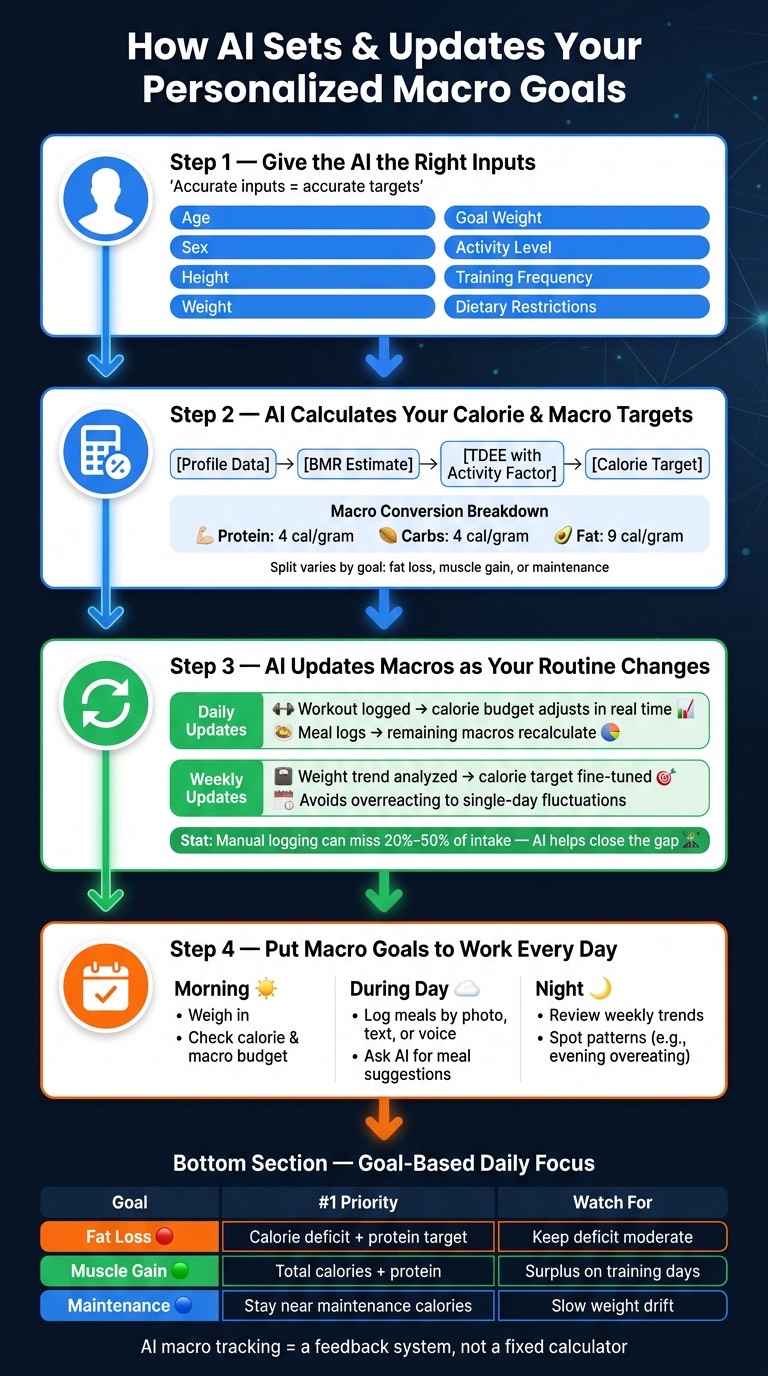
- You start with basic inputs like age, sex, height, weight, activity level, and goal
- The app estimates BMR and TDEE
- It sets calories for fat loss, muscle gain, or maintenance
- It converts calories into protein, carbs, and fat using 4/4/9 calories per gram
- It adjusts targets from food logs, workouts, steps, and weight trends
- It helps fix a common problem: manual food logging can miss 20% to 50% of intake
That means macro goals are not just set once. They can shift day by day for exercise and over the week based on progress.
If we had to sum it up in one line: AI turns macro tracking from a fixed calculator into a feedback system.
How does an AI macro app compare to a calculator or a manual tracker?
| Method | Starting point | Updates over time | Uses meal logs | Uses activity data | Gives guidance |
|---|---|---|---|---|---|
| Static calculator | Profile inputs | No | No | Usually no | No |
| Manual tracker | User-set targets | Only if you change them | Yes | Sometimes | Limited |
| AI macro app | Profile + behavior data | Yes | Yes | Yes | Yes |
What stands out most is simple: better inputs lead to better targets, and regular updates help keep those targets closer to how you live each day.
How do people track macros with general AI assistants?
Before getting into how a dedicated app does it, it is worth seeing the manual version. General assistants like ChatGPT, Claude, Grok and Gemini can do the math on request — but they do not hold your history, so nothing updates unless you re-prompt.

Video: "How to track macros using Ai (ChatGPT, Claude, Grok, Gemini)" by Jesse Rosenthal, on YouTube. Embedded for reference; not produced by Fitness Tracking Guide.
Step 1: Give the AI the right inputs
Good macro goals start with good inputs. That's the whole game here. If your profile data is off, the targets will be off too.
The profile details that shape your calorie and macro targets
Most AI nutrition apps use the same core details to set your plan:
- Age
- Sex
- Height
- Current weight
- Goal weight
- Activity level
- Training frequency and intensity
- Dietary restrictions
Each of these affects your calorie target and macro split.
How Welling uses onboarding data to build a starting plan
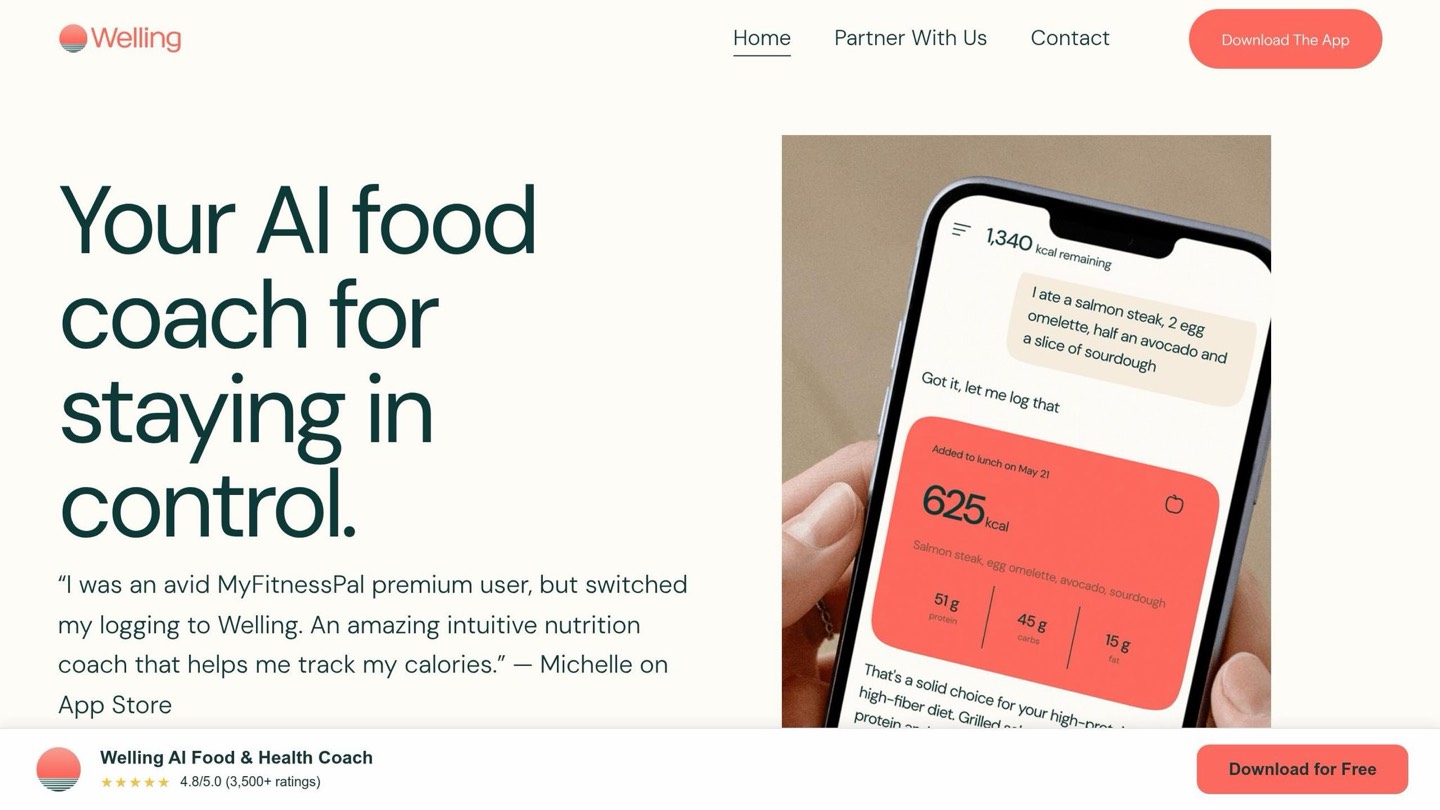
Welling uses your onboarding answers to set a starting calorie target and macro split. Based on your goal — Lose Weight, Build Muscle, or Keep Fit — it assigns starting grams for protein, carbs, and fat. It also tracks fiber, sodium, and sugar along with the core macros.
You can also sync Apple Health to import steps and workouts automatically.
Welling vs. apps that rely on manual setup
With manual trackers, you have to set your own targets and keep adjusting them yourself. Welling handles that for you. It uses your onboarding data and your logs over time to update the plan automatically.
Once your baseline is in place, the app can calculate targets and fine-tune them from your logged data.
Step 2: How AI calculates your calorie and macro targets
With your baseline data in place, AI turns that info into a starting calorie target and then breaks that number into macros.
From BMR and TDEE to a daily calorie target
Once your profile is set, the AI uses your age, sex, height, weight, and activity level to estimate your Basal Metabolic Rate (BMR), which is the number of calories your body burns at rest. Then it applies an activity factor to estimate your Total Daily Energy Expenditure (TDEE), or how many calories you burn across a full day.
From there, your goal shapes the calorie target. If you want to lose weight, the AI sets a sustainable calorie deficit. If you want to build muscle, it adds a surplus. If your goal is maintenance, it keeps things close to your TDEE. After that, the app turns those calories into grams.
How calories become grams of protein, carbs, and fat
After the calorie target is set, the AI converts that number into grams of each macro using standard calorie values: 4 calories per gram for protein and carbs, and 9 calories per gram for fat.
The split changes based on your goal. A keto plan may push fat higher, while a high-protein plan gives protein a bigger share. It's a simple idea: same calorie budget, different macro setup. Then the app uses your logs to keep adjusting the mix over time.
How Welling refines estimates using real food logs
Welling uses meal logs, workouts, and weight trends to adjust your remaining calories and macros in real time. Your profile sets the starting point. Activity can push the daily calorie target up. Meal logs update intake. Food preferences can shift the macro split.
As new logs come in, those targets keep changing.
Step 3: Let AI update your macros as your routine changes
Your routine doesn't stay the same from day to day. Workouts shift, meals change, and your weight trend can bounce around. That's why AI updates your macros as new data comes in, instead of waiting until the day is over.
Daily adjustments based on exercise and meal logging
When you log a workout or sync a fitness tracker, your calorie target for that day can go up right away. That means the plan responds while you're still making food choices, not hours later when it's too late to use.
Say you're getting close to your calorie limit by dinner. The AI can step in with a practical nudge, like suggesting a lighter meal or a high-protein snack, so you can hit your remaining macros without going overboard.
Weekly changes based on progress and consistency
Daily changes help keep your intake lined up with what you did that day. Weekly changes answer a different question: should the target itself change?
Instead of overreacting to one off day, AI looks at weekly averages because the scale can move from water retention and digestion alone. If you've been eating under your goal for a while and your weight still isn't changing, it may make a small calorie adjustment. If you're losing weight faster than planned, it may bump your calorie target up. Welling explains those changes in plain language.
AI-driven apps vs. trackers that only show numbers
Regular trackers log data. AI-driven apps do more with it.
They don't just show your calories, workouts, and weight trend on a screen. They use that information to update targets and give you guidance you can act on. That's where Welling stands out. It's not only about automation. There's a coaching layer on top that helps you make sense of the numbers and adjust as your routine changes, instead of leaving you to piece it all together by yourself.
Step 4: Put AI-set macro goals to work every day
A simple daily routine with Welling
Once AI updates your targets, the next step is using them every day. The process works best when you keep it simple: check in, log meals, and look at your weekly trends at night.
In the morning, weigh yourself before eating, send Welling your weigh-in so it can update your weekly trend, and check your calorie and macro budget.
During the day, log meals as you eat instead of waiting until the evening, when it's easier to forget portion sizes. You can log by photo, text, or voice, which keeps the process quick and low-friction. If you're not sure what to order for dinner, you can ask: "What should I eat to hit my remaining protein and stay within my calorie budget?" The AI can help you pick something that fits your remaining targets.
At night, look at your weekly progress view to spot patterns, like eating too much in the evening on a regular basis. That makes it easier to adjust before the same thing happens again.
The right daily focus depends on whether you're cutting, building, or maintaining.
What to focus on for fat loss, muscle gain, or maintenance
Your day-to-day focus should match your goal.
| Goal | #1 daily priority | What to watch |
|---|---|---|
| Fat loss | Stay in a calorie deficit and hit your protein target | Keep the deficit moderate |
| Muscle gain | Eat enough total calories and prioritize protein | Stay in a surplus, especially on training days |
| Maintenance | Stay near maintenance calories | Watch for slow weight drift |
For fat loss, the main job is keeping your calorie deficit under control while getting enough protein. For muscle gain, the focus shifts to eating enough total calories and enough protein. For maintenance, the goal is to keep intake close to output and catch small changes before they turn into a pattern.
Conclusion: a faster way to get accurate macro targets
AI macro tracking works because it updates your targets based on what you're actually doing, not just a fixed estimate. Instead of locking you into one number, it adjusts your daily calorie budget as your routine changes and helps you spot patterns that are easy to miss on your own.
Frequently asked questions
How accurate are AI macro goals?
AI macro goals use your profile, activity level, diet preferences, and logged meals to set daily targets for calories, protein, carbs, and fat. As your progress shifts, those targets can shift too.
With Welling, you pick a goal like weight loss, muscle gain, or maintenance. From there, the app sets targets based on your profile and activity, then gives real-time feedback shaped by your goal and your recent tracking data.
How often should my macros change?
Your macros should change as your data, activity level, goals, and progress change. That’s why AI-powered apps like Welling set calorie and macro targets during setup based on your biometric data and goals.
Then, as you log meals by photo or chat, the AI gives you feedback in real time and updates its guidance as your needs shift.
What happens if my food logs are incomplete?
AI-powered apps use the data you log — like body stats, activity level, and goals — to set personalized macro targets. As your progress and inputs change, the app can update that guidance over time.
Welling makes this easier with photo, voice, and chat-based logging, along with personalized coaching and macro tracking built around your needs.